Tri-screen portable monitors aren’t for the faint of heart
Living in New York City means making the most of limited space. As a result, I’m always interested in tools that can boost my productivity at a small desk, in a cramped office, or working on the go.
I’ve experimented with dual-screen laptops in multiple form factors and numerous portable monitors, including ones with projection capabilities. I’ve had particularly good results with dual-screen portable monitors.
Naturally, a portable monitor with three full-size screens was the next logical step.
To get a four-screen (including my laptop’s screen) experience, I tested KYY’s X90G ($360 as of this writing). It’s a portable monitor with three 15.6-inch IPS screens. Each screen has 1920×1080 resolution, its own control buttons, and is specced for up to 400 nits of brightness.
The X90G isn’t the only tri-screen monitor available, but it stood out to me because of its design. Some of the X90G’s rivals place the three displays above the laptop screen, which would require you to look away from the laptop screen repeatedly.
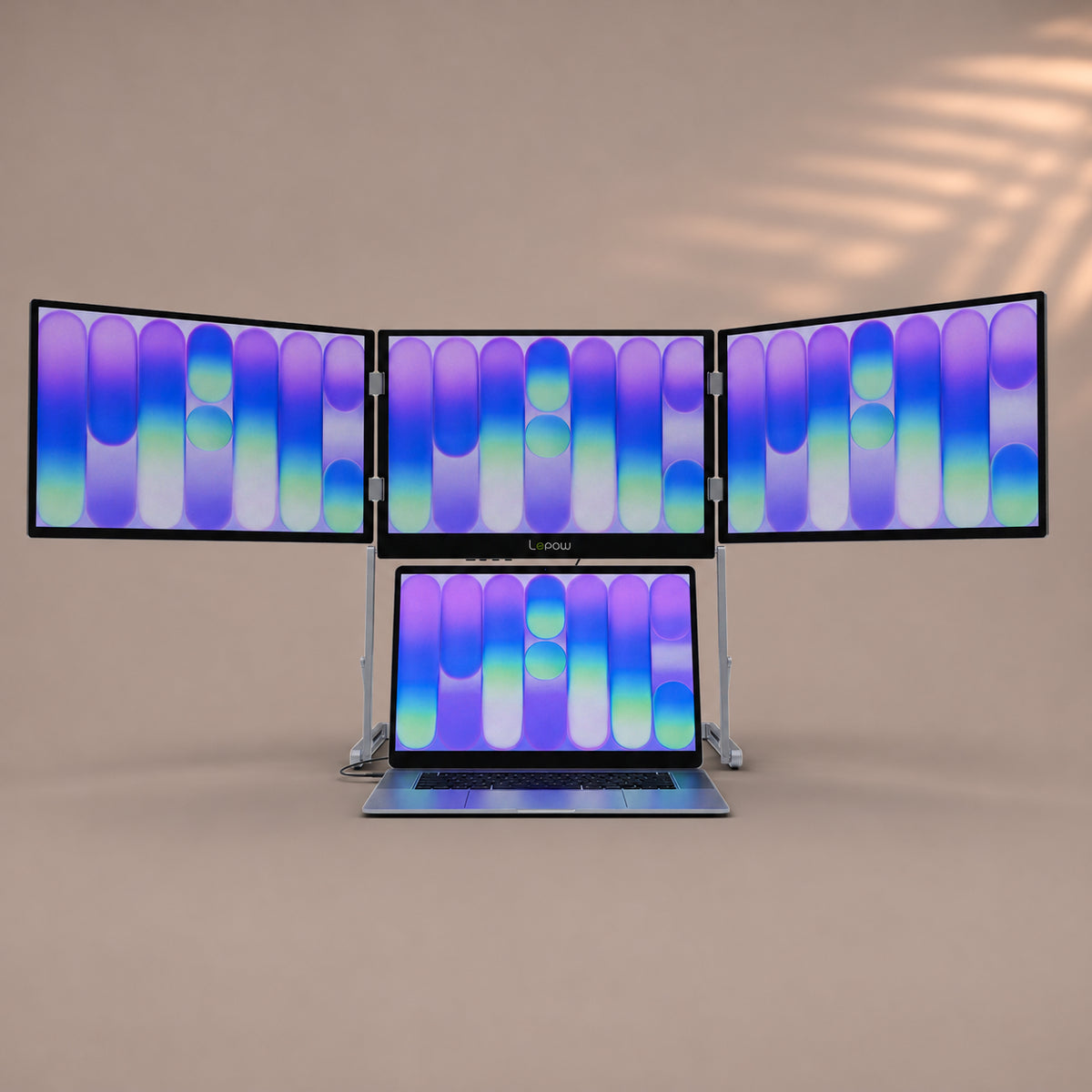 Lepow has a different approach to triple-screen portable monitors.
Credit:
Lepow
Instead, the X90G places one screen on the left and right sides of the laptop screen and one above the laptop display for a more cohesive—but not completely unified—visual workspace.
The X90G also has better compatibility than its rivals by supporting Linux and Android in addition to Windows and macOS (on systems using an M1 processor or better).
Most laptops should fit in the X90G’s designated area, but many workstations and gaming laptops won’t since it doesn’t support laptops larger than 17.3 inches.
A bevy of bezels
Let’s get something out of the way: If you hate bezels, a triple-portable-monitor isn’t for you.
The X90G never felt like one large screen; it always felt like four disparate displays. The screens aren’t perfectly aligned in a row, meaning you sometimes have to move the mouse awkwardly to get from one display to the next.
The gadget’s back panel, where the connected laptop’s screen sits, has a kickstand, so the X90G can be set upright on a tabletop or tilted back. But even with my PC’s lid flush against the monitor’s back panel, parts of the monitor remained visible and distracted me at times.
Sometimes the lit-up screen above my laptop’s lid would inadvertently pull my eyes from my laptop’s display. Worsening matters, I tested the X90G with a 13-inch laptop that, when open, doesn’t cover the opening on the back panel that serves as the monitor’s handle. That means that north of the laptop’s screen was a hole, part of the back panel, a display bezel, and then the extra display.
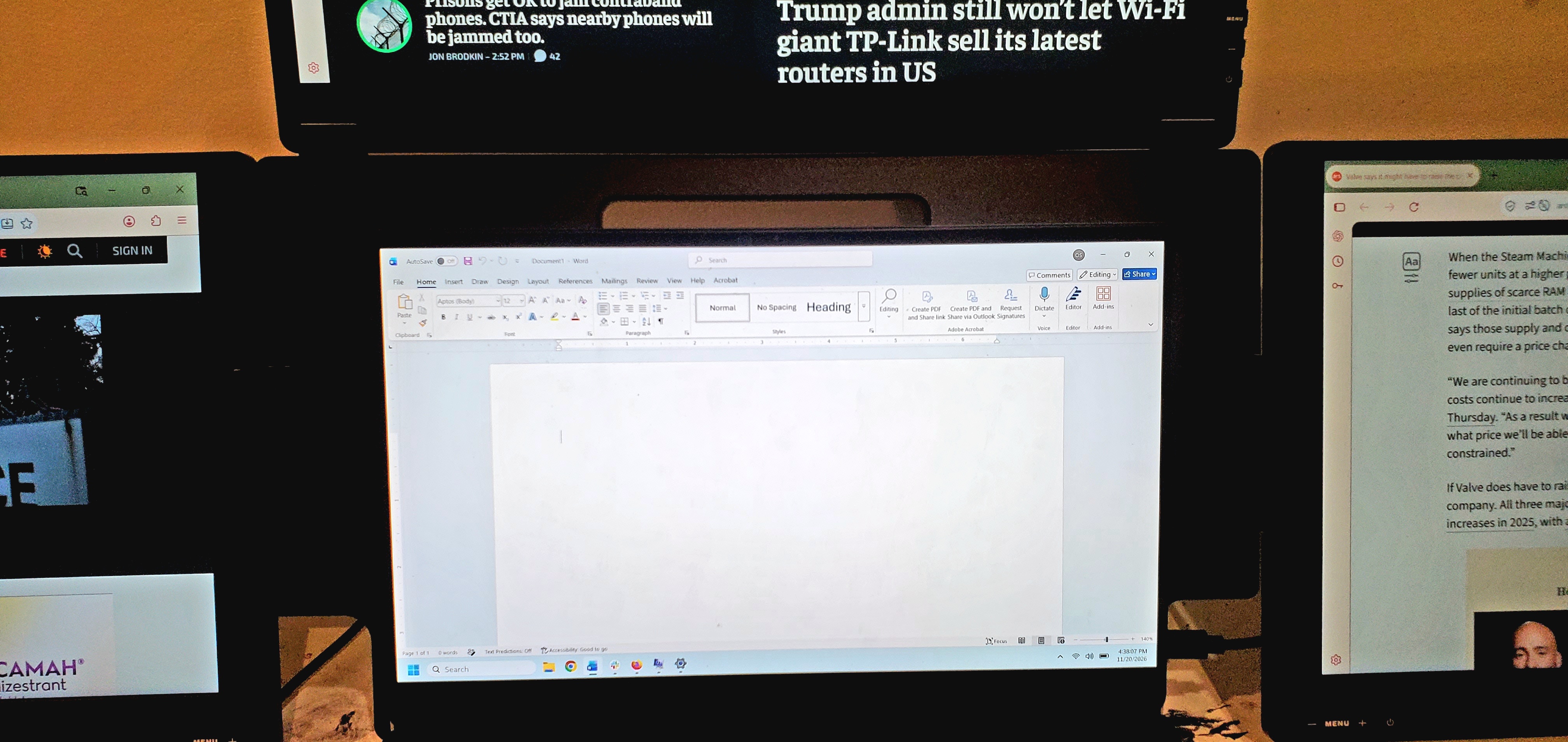 The opening on the panel behind the laptop’s screen is a handle.
Credit:
Scharon Harding
For some workloads, having four distinct screens is very beneficial. Each of the X90G’s screens supports independent tilting and has its own on-screen display menus, controls, and power buttons. I could keep the screen I was using to write or read an article dimmer while boosting the brightness of the screen displaying an image I was editing, for instance.
The X90G’s design also made it relatively easy to view content on the two side panels and the laptop’s screen simultaneously. This helped me keep things like reports, photos, blogs, spreadsheets, and other documents nearby while conducting research. In these cases, I reserved the northern screen for secondary tasks, like email, chat, or displaying the popular Finnish puppy cam Pentulive.
I try to keep my workspaces uncluttered to minimize distractions. A tri-screen monitor makes it easier to manage multiple tasks simultaneously but doesn’t allow for the cleanest layout or setup, which presents its own challenges.
It’s also worth noting that you need a decent amount of space to fully extend a triple-portable-monitor setup. The X90G measures about 46 inches across with the side panels flattened out. That’s wider than my desk. You’ll also need some clearance if you want to fold the side panels in toward the laptop more, perhaps for a closer view.
Tri-portable monitors are geared toward people with minimal space who want the flexibility to carry three screens on the go. But these devices are bound to have some bulk. The X90G weighs 6.4 pounds, more than twice the weight of the Dell XPS ultralight laptop I tested it with. That’s a reasonable weight for three displays, but it still inevitably compromises portability.
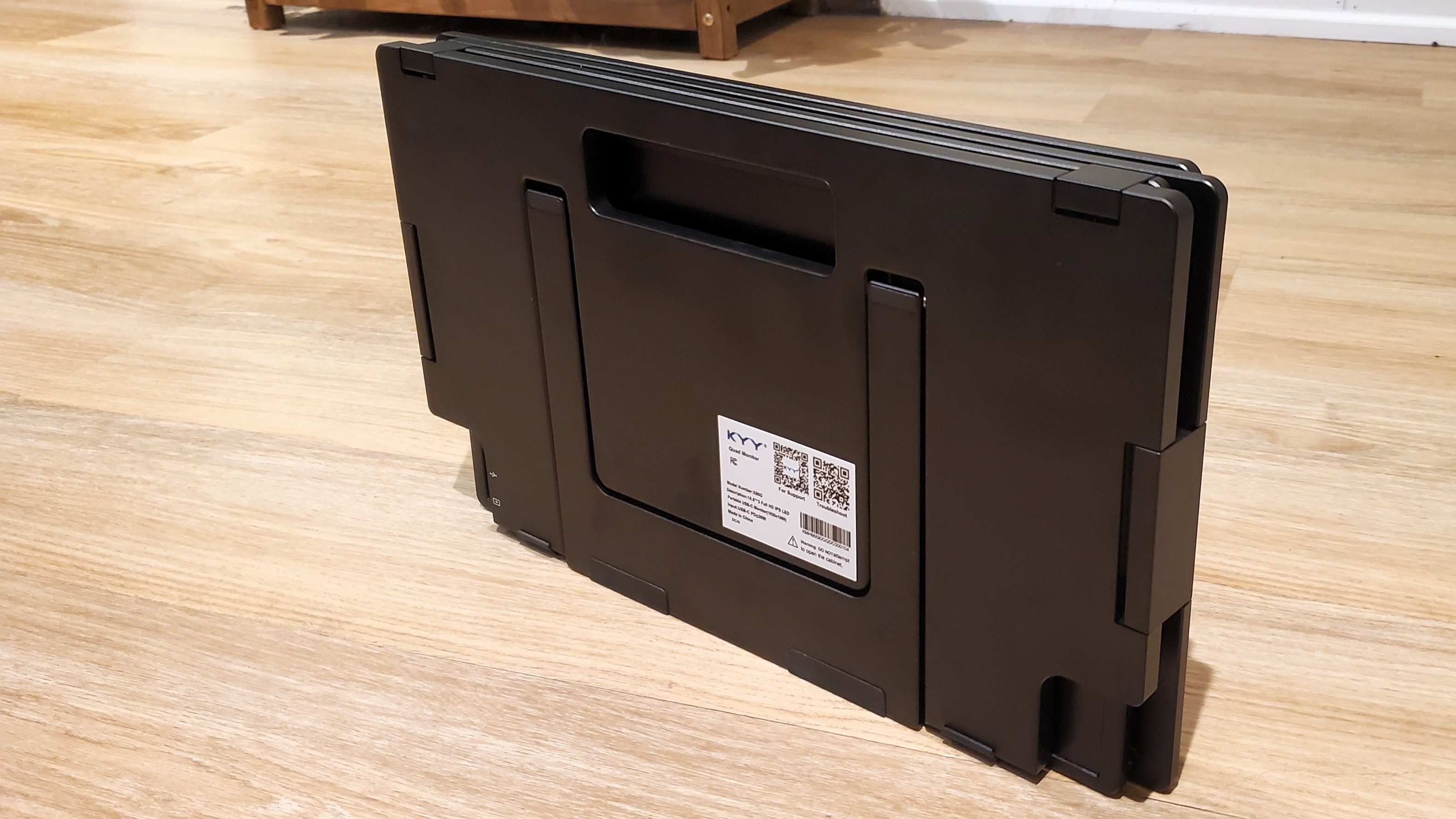 The monitor folded up with its handle and kickstand visible.
Credit:
Scharon Harding
Alternatively, on days when I could leave the monitor set up and just plug in my laptop, it felt pretty magical to be instantly rewarded with three additional screens by plugging a USB-C cable into my PC.
Sometimes less is more
For someone seeking to maximize small spaces, a three-screen portable monitor sounds reasonable. In practice, though, it’s hard to strike the right balance between portability and screen space with this many displays.
With devices like the X90G, you can quadruple the number of pixels at your disposal. But when I used the X90G, the screens all feel like separate entities, partially because one of them isn’t in line with the laptop’s screen at all. A triple portable monitor can’t moonlight as a larger, unified display, like some dual monitors can.
 A dual-screen portable monitor used as one unified display.
Credit:
Scharon Harding
That said, a tri-screen monitor can do things others can’t, including making it easier to share information with other people.
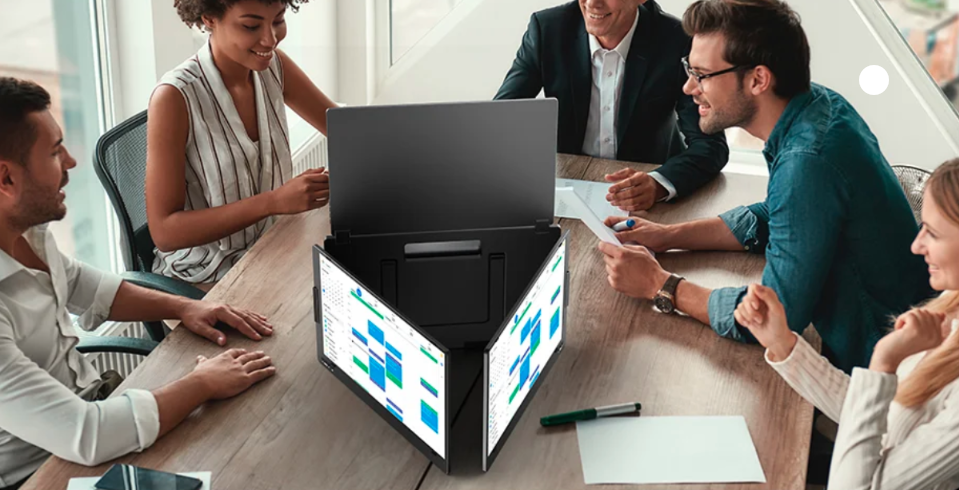 A KYY marketing image showing a more niche use for a tri-screen portable monitor.
KYY
A KYY marketing image showing a more niche use for a tri-screen portable monitor.
KYY

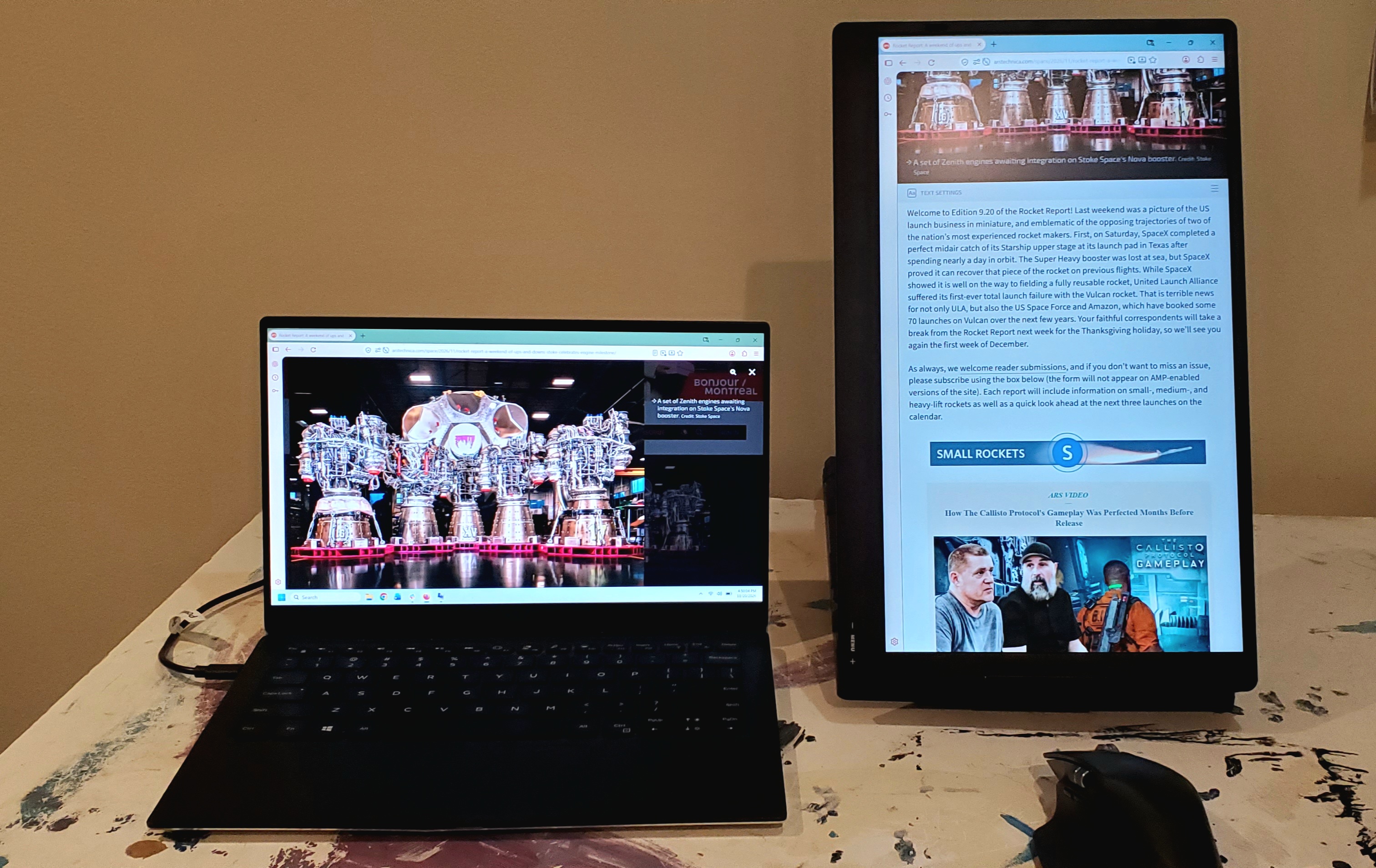 Using the X90G as a vertical monitor.
Scharon Harding
Using the X90G as a vertical monitor.
Scharon Harding
A KYY marketing image showing a more niche use for a tri-screen portable monitor.
KYY
Using the X90G as a vertical monitor.
Scharon Harding
But if you want a portable monitor for more traditional reasons, such as needing an easily transportable way to get more screen real estate, or if you prefer clear spaces for working, a triple monitor may be overkill, if not overwhelming.
 Scharon Harding
Senior Technology Reporter
Scharon Harding
Senior Technology Reporter
Scharon is a Senior Technology Reporter at Ars Technica writing news, reviews, and analysis on consumer gadgets and services. She's been reporting on technology for over 10 years, with bylines at Tom’s Hardware, Channelnomics, and CRN UK.
4 Comments